The output is a PDF your client can rely on
Issue a numbered PDF, then export what you need
Issue freezes the report as a numbered version with its PDF and checksum. PDF export is on every plan; Pro adds DOCX, CSV, XLSX and JSON, and merges drawings and certificates from uploaded PDFs without a page limit.
What you get
Issue, not just export
Pressing Issue stores a numbered issued version with its PDF and checksum and sets the status to issued. Editing afterwards needs Unissue, and earlier issued versions are kept.
PDF that matches the editor
The same theme CSS drives the editor, the preview and the PDF, on A4 or Letter. Imported PDF pages such as drawings and certificates are merged as vector pages, not screenshots.
DOCX, CSV, XLSX and JSON (Pro)
DOCX carries headings, paragraphs, images and tables as a simplified rendering. CSV and XLSX export tables and findings; JSON exports the whole report for your own systems.
Large reports render in the background
Reports with more than 25 photos, 400 blocks or 15 imported PDF pages run as a background job and a notification appears when ready. Small reports download at once.
How it works
Pass the checks
Open Checks and clear every error. Warnings are shown but do not block.
Issue
A numbered issued version is stored with its PDF and checksum, and the share page gains a Verify link showing the issued version’s fingerprint.
Export the formats you need
Export → PDF on any plan. On Pro choose DOCX, CSV, XLSX or JSON. Large files arrive as a notification when ready.
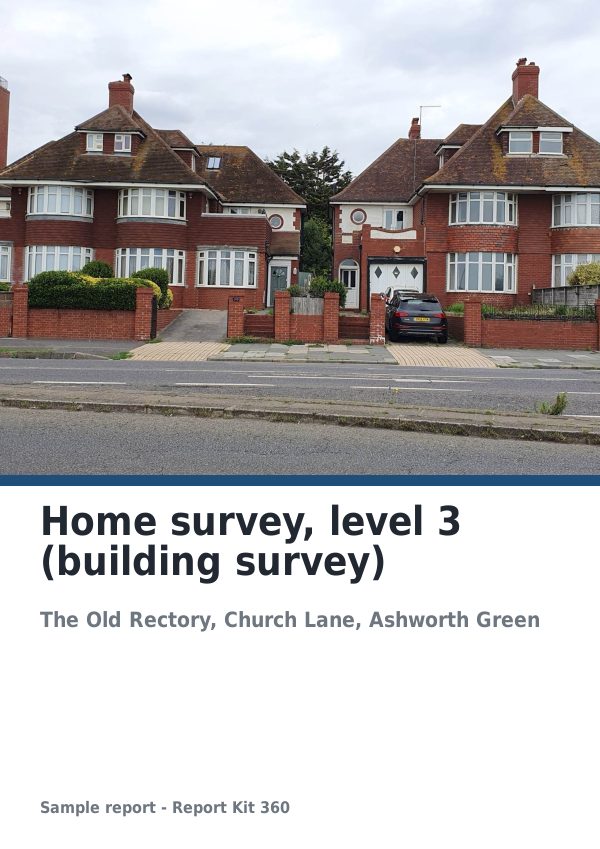
See an example: Home survey, level 3 (building survey)
A finished report built from the RICS-style level 3 template (Basic). Scroll through it below, or download the issued PDF.
This is a fictional sample produced in Report Kit 360 to show the template. The property, people and findings are invented. Photographs are from Wikimedia Commons under licences that permit reuse; see the image credits.
Exports and PDF on Basic and Pro
Basic
£14.99 a month
PDF export and issuing with checksum and Verify link. Up to 3 pages of an uploaded PDF merged as an appendix. Exports carry the Report Kit 360 footer strip and cover badge.
Pro
£49 a month
Adds DOCX, CSV, XLSX and JSON exports, unlimited merged PDF pages anywhere in the report, and no mark with white-label.
Export limits are 30 per hour per workspace on both plans. Issuing is not counted against the Basic monthly report quota; only creating a report is.
Frequently asked questions
Is the DOCX a copy of the PDF?
No. DOCX is a simplified rendering with headings, paragraphs, images and tables so you can hand content to another system or a client who asks for an editable file. The PDF is the page-faithful, issued document.
Can I include drawings or certificates?
Yes. Upload a PDF, pick the pages from thumbnails and they are merged into the export as vector pages. Basic may include up to three pages in an appendix; Pro has no page limit and can place them anywhere.
What does the checksum prove?
Each issued version stores a checksum of its PDF. The Verify link on the share page shows that fingerprint, so a client can confirm the file they hold matches the version you issued.
Your next report, start to finish.
Pick a plan, add your logo, and issue your first report today.