Roof and facade inspections · Basic plan
Roof and facade RAG reports with a fault index that writes itself
RAG roof and facade reports with counters on the cover, numbered defect photos, section summaries and a fault index. For drone and rope-access teams.
What the report includes
Roof and facade inspections produce hundreds of photos and a client who wants to know three things: what is red, where it is and what to do about it. The roof and facade RAG template in Report Kit 360 is built around that question. Red, amber and green counters sit on the cover, the site is split into sections with an overview photo for each, and every defect photo carries numbered markers with a rating, a fault type from 14 groups and tags from the 19 the template seeds. Section summaries roll up the counts and the fault index at the back lists every finding worst first. Whether you work from a drone, a mast or a rope, the report structure is the same, and an optional appendix records the flight.
- Cover with RAG counters: Red, amber and green totals calculated from the markers, with client, site and inspection date from tokens.
- RAG guide and tag guide: What each rating means and the glossary of tags used in the report, locked as boilerplate.
- Survey summary: Scope, access method, weather and limitations, filled from the template's fields.
- Site overview and sectioned overview pages: An overview image with the site divided into elevations, roof slopes or zones, each with its own overview page.
- Section summaries: A roll-up of the findings for each section with its RAG counts and headline issues.
- Photo pages: Each photo with its numbered markers and the table underneath: number, rating, fault type, tags, element and the Defect / Risk / Recommendation note.
- Fault index: Every finding in report order with its photo reference, rating and recommended action.
- Drone flight appendix (optional): Flight details, pilot and compliance evidence when the inspection used a drone.
Template: Roof and facade RAG survey (Basic). Alternatives: Drone survey (Basic). Seeds 19 tags, 65 asset types and 14 fault groups so markers can be classified consistently from the first report.
Why roof and facade inspections teams use Report Kit 360
Counters and the index take care of themselves
Rate the markers and the cover counts, section summaries and fault index update. No spreadsheet on the side.
Consistent classification
Fault types, asset types and tags come from the template, and your own additions are kept for the next report.
Photo batches that upload reliably
Large sets upload in chunks with retries. The first upload offers a photo page for each, ordered by filename, photo time or by hand.
Analysis help on Pro
With your own AI key, Analyse photo proposes a description, rating, fault type and tags for each marker. You accept, edit or discard every suggestion.
How it works
Create the report and define the sections
Name the elevations, slopes or zones. Add the overview image and mark the section boundaries.
Upload the photos and create photo pages
Assign each photo to its section. Draw markers, rate them and pick a fault type and tags.
Write the section summaries
Counts are already there; add the headline findings and the access or weather limitations.
Check, issue and share
Checks confirm every marker is rated and every red has a photo and action. Issue the PDF and send the link.
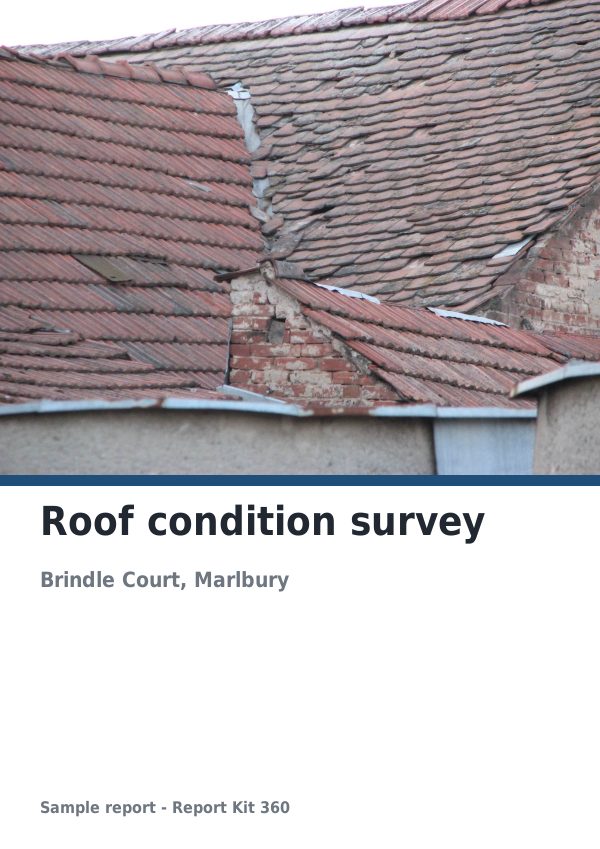
See an example: Roof condition survey
A finished report built from the Roof and facade RAG survey template (Basic). Scroll through it below, or download the issued PDF.
This is a fictional sample produced in Report Kit 360 to show the template. The property, people and findings are invented. Photographs are from Wikimedia Commons under licences that permit reuse; see the image credits.
Roof and facade inspections on Basic and Pro
Basic
£14.99 a month
The Roof and facade RAG survey template is included on Basic, with 10 new reports a month and your logo and accent colour on every page.
Pro
£49 a month
Everything in Basic with no monthly report limit, white-label branding, formula tables and the Pro templates.
Downgrades take effect at the end of the paid period and nothing is deleted.
Frequently asked questions
Does the template work for rope access and mast surveys as well as drones?
Yes. The structure is about the building, not the platform. The drone flight appendix is optional and can be left out for a rope-access or mast inspection.
How many photos can a report hold?
There is no fixed photo count. Storage is 5 GB on Basic and 100 GB on Pro, and images up to 50 MB and 40 megapixels are accepted. Reports with more than 25 photos render their PDF in the background and you are notified when it is ready.
Can I change the fault types and tags?
Yes. The template suggests them; type your own on any marker and it is added to the workspace list. Pro workspaces can also edit the saved template so the lists are set from the start.
Is thermal imaging supported?
On Basic a thermal image is placed as a plain image. Pro adds the thermal block, which shows the infrared and visible pair with a palette legend, spot and area temperatures and ΔT.
Related pages
Your next report, start to finish.
Pick a plan, add your logo, and issue your first report today.