Schedule of condition · Basic plan
A schedule of condition that records every element, room by room
Room-by-room element condition with numbered photos, limitations and a signature, issued as a PDF with a checksum. On Basic from £14.99 a month.
What the report includes
A schedule of condition is evidence. Whether it is attached to a lease, agreed before party wall works or prepared ahead of a neighbouring development, it will be read years later by someone trying to decide whether a crack, a stain or a scuff was already there. It has to be systematic, photographic and dated. The schedule of condition template in Report Kit 360 walks each room or area element by element, with a condition note and numbered photo markers for anything worth recording, and closes with limitations and a signature. Issue freezes the schedule as a numbered version with its checksum, so the version served can be verified later, and the share link means both parties receive the same document at the same time.
- Cover and document control: Property, parties, purpose (lease, party wall, pre-development), inspection date and reference from tokens, with the issue table.
- Introduction and limitations: Instruction, extent of inspection, weather, access and what was not inspected, from the snippet library.
- Room-by-room element condition: Each room or area with its elements (ceiling, walls, floor, windows, doors, fittings, services) and the condition found.
- Photo pages: Numbered markers on each photo cross-referenced to the room and element, with a short note.
- External elements: Elevations, roof, rainwater goods, boundaries and grounds where included.
- Signature and agreement: Signature block for the surveyor and, where required, both parties or their surveyors.
Template: Schedule of condition (Basic). Alternatives: Snagging list (Basic), RICS-style level 1 (Basic). Room-by-room element condition with photos. For a schedule of dilapidations use the separate dilapidations schedule template.
Why schedule of condition teams use Report Kit 360
Systematic by design
The template sets the room and element order so nothing is skipped, and the checks confirm the required fields and a signature before issue.
Photos that cannot drift
Each marker is numbered in report order and tied to its room and element. The photo's capture time can be kept or stripped per your workspace setting.
A verifiable issued version
The issued PDF carries a checksum and the share page carries a Verify link, which matters when the schedule is relied on later.
Reusable for the next lease
Save the structure as a template, keep your limitations and wording in snippets, and attach each schedule to the client record.
How it works
Create the report and record the purpose
Lease, party wall or pre-development, the parties and the extent of inspection.
Inspect room by room
Upload the photos per room, create a photo page for each and mark the items worth recording.
Complete the element notes
Describe the condition of each element. Insert limitations from snippets.
Issue and share with both parties
Issue the numbered PDF and send the same share link to each party, with an expiry if you prefer.
See an example: Schedule of condition
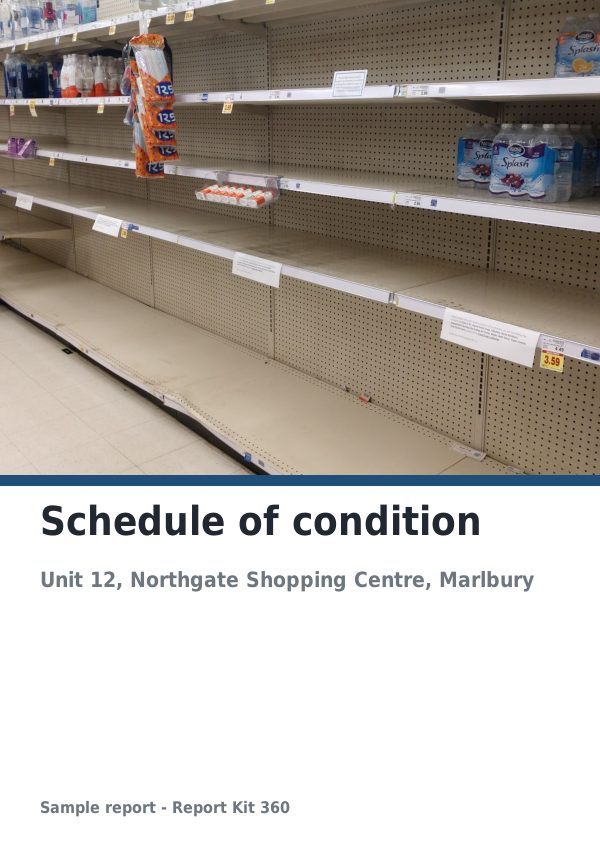
A finished report built from the Schedule of condition template (Basic). Scroll through it below, or download the issued PDF.
This is a fictional sample produced in Report Kit 360 to show the template. The property, people and findings are invented. Photographs are from Wikimedia Commons under licences that permit reuse; see the image credits.
Schedule of condition on Basic and Pro
Basic
£14.99 a month
The Schedule of condition template is included on Basic, with 10 new reports a month and your logo and accent colour on every page.
Pro
£49 a month
Everything in Basic with no monthly report limit, white-label branding, formula tables and the Pro templates.
Downgrades take effect at the end of the paid period and nothing is deleted.
Frequently asked questions
Can both parties sign the schedule?
The signature block can hold more than one signature. Signatures are entered in the app before issue; Report Kit 360 does not provide an external e-signature service.
Is a schedule of condition the same as a schedule of dilapidations?
No. A schedule of condition records the state of the property at a point in time; a schedule of dilapidations sets out alleged breaches, remedies and costs at the end of a lease. Report Kit 360 has a separate dilapidations schedule template; see the dilapidation reports page.
How many photos can I include?
There is no fixed limit. Storage is 5 GB on Basic and 100 GB on Pro. Reports with more than 25 photos render in the background and you are notified when the PDF is ready.
Can I attach the lease plan?
Yes. Upload it as a PDF and merge the pages: up to 3 in an appendix on Basic, unlimited on Pro.
Your next report, start to finish.
Pick a plan, add your logo, and issue your first report today.