Templates that match the job
Start from the structure your industry expects
Fifteen system templates, each built on the section order, ratings, required fields and checks of its industry, in Report Kit 360’s own wording. Save your own, pick a theme, and on Pro add formula presets and smart rules.
What you get
Standards-aligned structure, in our own words
RICS-style home surveys at levels 1, 2 and 3 use ratings 1, 2, 3 and NI with the lettered sections you expect; solar PV follows the IEC 62446 pattern; thermography follows ISO 6781. Every template is written by us and claims no approval from any body.
Checks that must pass before issue
Each template carries gates: every finding rated, required fields and blocks filled, a document-control row, a signature, a red item with a photo and an action, a minimum irradiance. Errors block issuing; warnings do not.
Rating schemes, fault types and tags built in
Templates define the scheme (RAG, condition 1/2/3/NI, CoA, severity 0 to 5 and others), suggest fault types and tags, and lock boilerplate where wording must not drift. The roof and facade template alone seeds 19 tags, 65 asset types and 14 fault groups.
Save your own
Save as template keeps a report's structure, headings, boilerplate, variables and checks without the content. Basic may save three; Pro saves without limit and can edit saved templates and their smart rules.
Formula presets for the calculations you repeat (Pro)
Formula tables accept spreadsheet-style functions and industry presets: ΔT normalisation, tonnage from density, crack-width category, thermal index and insulation-resistance pass or fail by band. Named ranges feed calculated fields and charts.
How it works
Choose from the gallery
Reports → New opens the gallery grouped by industry. Each card shows a preview and the plan it needs.
Fill the template's fields and variables
Site address, inspection level, irradiance and the rest sit in the Report panel. Tokens carry them into the text and cover.
Save your version as a template
Once the structure suits your practice, Save as template keeps it for next time. Set it as the workspace default under Settings → Workspace.
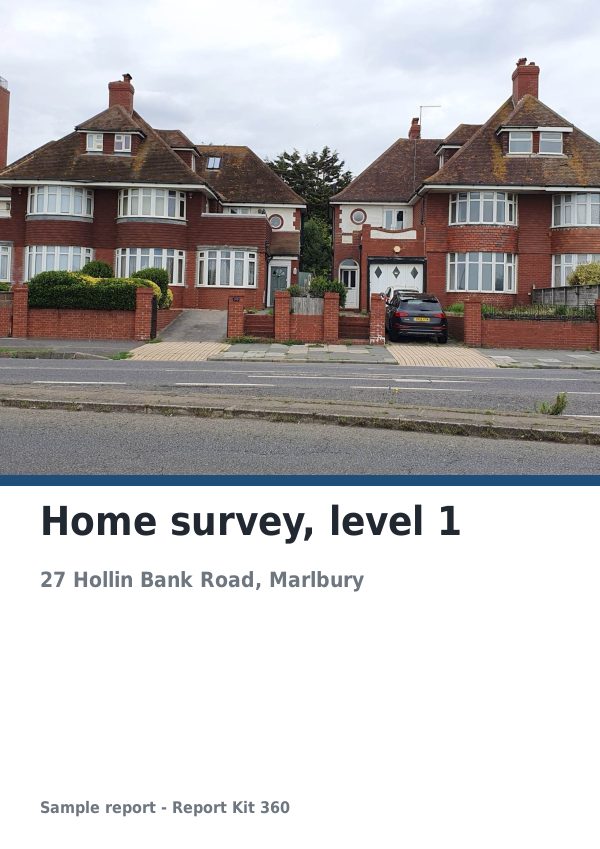
See an example: Home survey, level 1
A finished report built from the RICS-style level 1 template (Basic). Scroll through it below, or download the issued PDF.
This is a fictional sample produced in Report Kit 360 to show the template. The property, people and findings are invented. Photographs are from Wikimedia Commons under licences that permit reuse; see the image credits.
Templates and presets on Basic and Pro
Basic
£14.99 a month
Eleven system templates: RICS-style levels 1 to 3, building survey (TDD), schedule of condition, dilapidations schedule, access audit, snagging list, roof and facade RAG, drone survey and generic technical. Template-authored checks run on every plan. Three saved templates. Six system themes with your logo and accent colour.
Pro
£49 a month
Adds the four Pro templates (solar PV in the IEC 62446 pattern, thermographic survey, structural inspection, volumetric stockpile), unlimited saved templates, editable smart rules, formula presets and fully editable themes.
Pro templates appear in the gallery on Basic with a Pro badge; opening one prompts an upgrade.
Frequently asked questions
Are the templates approved by RICS, IEC or ISO?
No. Report Kit 360 is not affiliated with, approved by or endorsed by RICS, IEC, ISO, BRE, the CAA or any other body. Templates follow the structure each industry expects, in our own wording and without any proprietary material. Which standards and terms of engagement apply to your work remains your professional decision.
Can I change a template's sections and wording?
You can reorder, add and remove sections and blocks in any report. Locked boilerplate, such as safety wording, can only be edited by Pro workspaces through custom templates. Basic may save three templates of its own; Pro saves without limit.
What are smart rules?
Smart rules are template-authored conditions that react to what you enter, for example showing or requiring a block when a variable is set. Rules written into system templates run on every plan; authoring and editing your own is a Pro feature.
Your next report, start to finish.
Pick a plan, add your logo, and issue your first report today.