Disability access audits · Basic plan
Access audit reports that follow the journey through the building
Journey-based access audits: arrival, approach, entrances, circulation, lifts, WCs, signage and escape, each with a compliance table and A/B/C priorities.
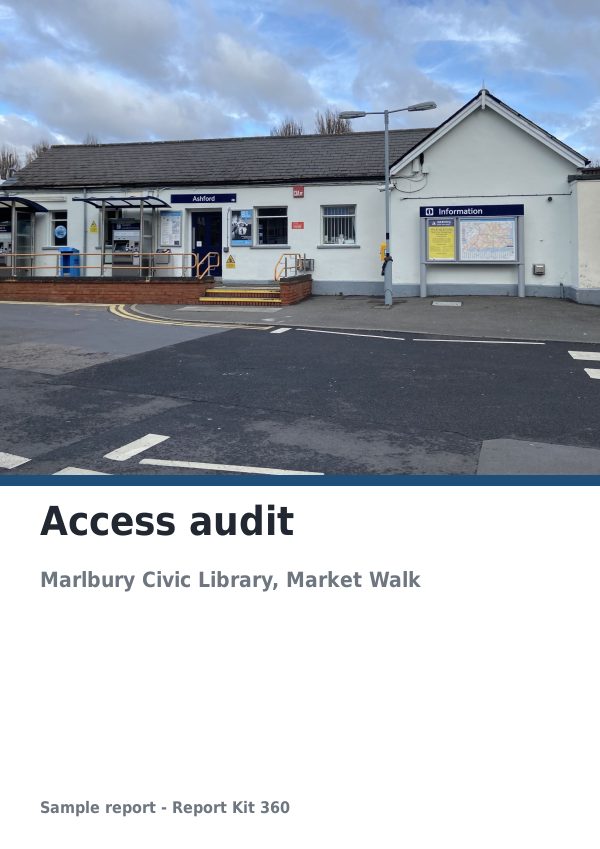
What the report includes
An access audit follows the journey a disabled person makes through a building: arrival and parking, the approach, entrances and doors, reception, circulation on each floor, lifts and stairs, sanitary facilities, signage, lighting and acoustics, means of escape and the way the building is managed. The access audit template in Report Kit 360 follows that sequence section by section. Each section is a table with reference, item, observation, a compliance result, priority, recommendation, cost band and photo, with annotated photographs beside it, and the horizontal circulation section repeats for each floor. The executive summary and the priority summary count the A, B and C priorities automatically, the action plan lists every item worst first, and a declaration and signature close the report. The wording is our own and no standard is reproduced.
- Cover and document control: Building, client, audit date, auditor, duty holder and who accompanied the audit, with the issue table.
- Executive summary (required): The headline barriers and a rating summary that counts the A, B and C priorities.
- Introduction and method: Instruction, building use, scope, the design guidance you assessed against, audit details, areas not audited and why, and the rating guide for the A, B and C priority scheme.
- Arrival and parking; approach routes; entrances and doors; reception: A table for each stage with reference, item, observation, compliance (compliant, partial, non-compliant or not applicable), priority, recommendation, cost band and photo, plus annotated photos.
- Horizontal circulation (repeatable per floor): Corridors, internal doors, floor surfaces and level changes, one section per floor.
- Vertical circulation; sanitary facilities: Stairs, handrails, nosings, lifts and lift controls; accessible WCs, layouts and fittings.
- Signage and wayfinding; lighting and acoustics; means of escape: Legibility and contrast, lighting levels, hearing enhancement, refuges and evacuation arrangements.
- Management and staff awareness: A checklist of procedures, training and information with commentary.
- Priority summary and action plan: A rating summary of A, B and C items and a findings schedule listing every action with location, who it affects, priority, recommendation and cost band.
- Declaration and signature: The auditor's declaration and signature block, required by the checks before issue.
- Appendix: photographs: The image grid of audit photographs, with drawings merged as PDF pages if required.
Template: Access audit (Basic). Alternatives: Generic technical report (Basic). Variables: building use, scope of the audit (whole building, public areas only, ground floor only or specific areas), design guidance benchmark and whether to show indicative cost bands. Fault types include steps without a ramp, ramps too steep, doors too narrow or heavy, poor visual contrast, unmanifested glazing, missing handrails, unhighlighted nosings, accessible WC layout, lift controls, signage, lighting, hearing enhancement, refuges and management procedures. Tags record who is affected (wheelchair users, ambulant disabled, visual, hearing, cognitive) and the kind of action (quick win, refurbishment item, reasonable adjustment, further investigation).
Why disability access audits teams use Report Kit 360
The journey order is built in
Sections run from arrival to escape in the order the building is used, and the circulation section repeats for each floor.
Priorities that count themselves
Rate each item A, B or C and the executive summary and priority summary update. The action plan lists every item worst first.
Photos that show the barrier
Draw a marker round the step, the narrow door or the missing handrail; the number appears on the photo and in the section table.
Your guidance, your wording
Name the guidance you assessed against in the guidance basis field and write observations in your own words. Save your adjusted version as a template for the next audit.
How it works
Create the audit and set the scope
Choose the building use, the scope and the guidance basis. Record the duty holder and who accompanied you.
Walk the building section by section
Complete each table with the observation, compliance result, priority and recommendation. Add a horizontal circulation section per floor.
Photograph and mark up each barrier
Upload the photos, draw a marker on each barrier and tag who it affects.
Review the action plan, sign and issue
Check the priority counts, write the executive summary, sign the declaration, clear the checks and issue the PDF.
See an example: Access audit
A finished report built from the Access audit template (Basic). Scroll through it below, or download the issued PDF.
This is a fictional sample produced in Report Kit 360 to show the template. The property, people and findings are invented. Photographs are from Wikimedia Commons under licences that permit reuse; see the image credits.
Disability access audits on Basic and Pro
Basic
£14.99 a month
The Access audit template is included on Basic, with 10 new reports a month and your logo and accent colour on every page.
Pro
£49 a month
Everything in Basic with no monthly report limit, white-label branding, formula tables and the Pro templates.
Downgrades take effect at the end of the paid period and nothing is deleted.
Frequently asked questions
Does the template reproduce the Equality Act, BS 8300 or Approved Document M?
No. The sections follow the journey sequence that access auditors use and the tables carry the columns an audit needs, all in our own wording. The observations, compliance results and recommendations are yours, assessed against the guidance you name in the guidance basis field. Report Kit 360 is not affiliated with any standards body.
What does the compliance column record?
Compliant, partial, non-compliant or not applicable for each item, alongside the A, B or C priority. The compliance result describes the item against your chosen guidance; the priority drives the action plan.
Which plan is right for access auditors?
Basic includes the access audit template, checklists, findings schedules, photo markers, snippets, PDF and CSV export and one active share link per report, with 10 new reports a month and three saved templates. Pro adds unlimited reports and saved templates, smart rules, formula tables for cost totals, white-label and DOCX and XLSX export.
Can the client track progress against the action plan?
Export the action plan as CSV on any plan or XLSX on Pro for the client to update, or give them a share link to the issued PDF and reissue when the plan is reviewed. Progress is not tracked inside the issued report.
Your next report, start to finish.
Pick a plan, add your logo, and issue your first report today.