Solar PV inspections · Pro plan
Solar PV inspection reports in the IEC 62446 pattern
System data, inspection checklist, string tests with Voc and insulation checks and a thermography annex with condition gates. The Pro template.
What the report includes
Solar PV inspection reports carry numbers that have to add up: string open-circuit voltages against the expected value, insulation resistance against a pass band, irradiance and weather against the minimum conditions for a thermographic survey. The solar PV template in Report Kit 360 follows the IEC 62446 pattern in three parts. Part A records the system data, Part B holds the inspection checklist and a string test formula table that flags a Voc outside 5 per cent of expected and grades insulation resistance by band, and Part C is a thermography annex whose checks will not let you issue if irradiance, wind, cloud cover or camera calibration were outside the template’s limits. Anomalies go in a register with a class of abnormality, and ΔT normalisation is a calculated field.
- Part A: system data: Site, system owner, installer, module and inverter details, array layout, string configuration and the documents reviewed.
- Part B: inspection checklist: Visual and mechanical checks by area with pass, fail and not-applicable results and photo references.
- Part B: string test table (formula table): Per-string Voc, Isc and insulation resistance with the expected Voc, a ±5 per cent check and insulation pass or fail by band, totals and flags calculated live.
- Part C: thermography annex: Conditions with gates for irradiance (600 W/m² minimum), wind (4 Bft maximum), cloud cover (2 okta maximum) and camera calibration (within 2 years), equipment and methodology.
- Anomaly register with CoA: Each thermal anomaly with location, type, class of abnormality, ΔT normalised to reference irradiance and the recommended action.
- Thermal pairs and photo pages: Infrared and visible images side by side with palette legend, spot temperatures and markers.
- Conclusions and recommendations: Summary of defects by severity, remedial actions and re-test advice, with the signature and document-control blocks.
Template: Solar PV inspection (IEC 62446 style) (Pro). Alternatives: Thermographic survey (Pro), Generic technical report (Basic). The inspection.level variable switches between a simplified and a detailed structure. The irradiance_wm2 variable carries a gate at 600 W/m² for the thermography annex.
Why solar pv inspections teams use Report Kit 360
The string test table does the arithmetic
Enter the readings and the formula table checks Voc against expected and grades insulation resistance by band. Named ranges feed the summary.
Condition gates before issue
If irradiance, wind, cloud or calibration were outside the template's limits, the Checks panel says so and the thermography annex cannot be issued as a pass.
Thermal pairs, not loose images
The thermal block keeps the infrared and visible images together with the palette legend, spot and area temperatures, emissivity and reflected temperature.
Anomalies classified consistently
The register carries a class of abnormality and a normalised ΔT for every anomaly, and the fault index lists them worst first.
How it works
Create the report and set the inspection level
Choose simplified or detailed. Fill Part A from the system documents.
Complete the checklist and string tests on site
Record pass, fail and not-applicable results. Enter the string readings; flags update as you type.
Add the thermography annex
Enter the conditions, upload the thermal pairs and log each anomaly in the register with its CoA.
Clear the checks and issue
The gates confirm the conditions and ratings. Issue the numbered PDF and share it with the system owner.
See an example: PV system verification report (IEC 62446-1)
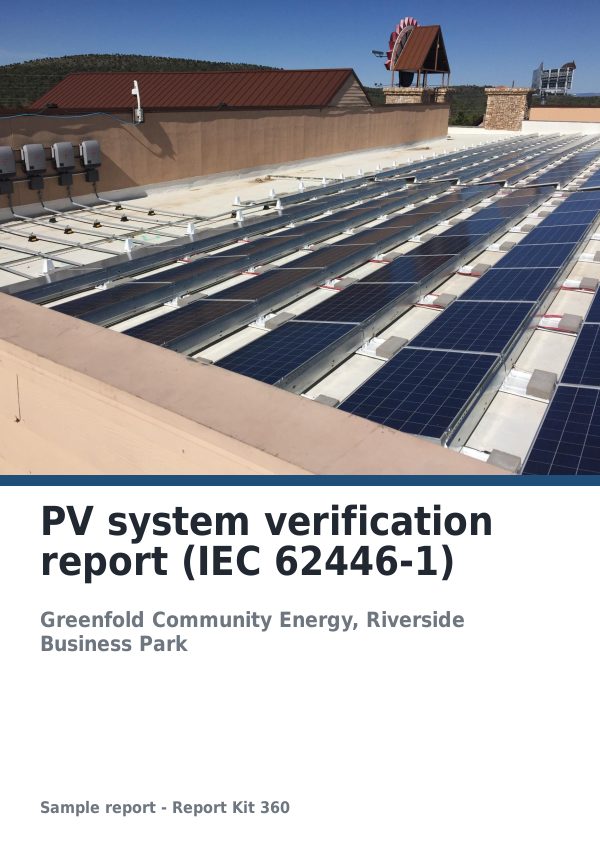
A finished report built from the Solar PV inspection (IEC 62446 style) template (Pro). Scroll through it below, or download the issued PDF.
This is a fictional sample produced in Report Kit 360 to show the template. The property, people and findings are invented. Photographs are from Wikimedia Commons under licences that permit reuse; see the image credits.
Solar PV inspections on Basic and Pro
Basic
£14.99 a month
Not included. The Solar PV inspection (IEC 62446 style) template is a Pro template. Basic workspaces can use: Thermographic survey (Pro), Generic technical report (Basic).
Pro
£49 a month
The Solar PV inspection (IEC 62446 style) template with unlimited reports, formula tables, white-label branding and every other Pro block.
Downgrades take effect at the end of the paid period and nothing is deleted.
Frequently asked questions
Is this template certified to IEC 62446?
No. Report Kit 360 is not affiliated with or endorsed by the IEC. The template follows the three-part structure and the kinds of checks that IEC 62446-1 and IEC TS 62446-3 describe, in our own wording. You remain responsible for carrying out the tests the standard and your client require.
Can I change the gate values?
The template’s defaults are 600 W/m² minimum irradiance, 4 Bft maximum wind, 2 okta maximum cloud and camera calibration within 2 years. Pro workspaces can save the template and edit its variables and gates.
Why is this template Pro only?
It relies on formula tables, calculated fields and the thermal block, which are Pro blocks. Pro also removes the monthly report limit, which suits portfolio work.
Can I use it for commissioning as well as periodic inspection?
Yes. Part A and Part B cover the system data and the Category 1 style checks and tests used at commissioning; Part C is the periodic thermographic annex and can be left out. You decide which parts apply to the engagement.
Your next report, start to finish.
Pick a plan, add your logo, and issue your first report today.