Structural inspections · Pro plan
Structural inspection reports with a defect register that classifies itself
Inspection by area, a defect register that turns crack width into a category, a monitoring table and a calculation appendix. The Pro template.
What the report includes
Structural inspection reports are read by people who will act on them: owners, insurers, contractors and sometimes a court. They need a clear description of the structure, findings area by area, a defect register with each crack measured and classified, a record of monitoring and a discussion that leads to recommendations. The structural inspection template in Report Kit 360 provides that order. The defect register is a formula table with a calculated field that turns a measured crack width into a damage category in the BRE 251 pattern, the monitoring table records readings over time, and the calculation appendix holds the working. An issue table and a QA signature block sit at the front so the review trail is on the first page.
- Issue table and QA signature: Revision, date, prepared by, checked by and approved by, with the signature block for each.
- Introduction and scope: Instruction, purpose, documents reviewed, access and limitations.
- Form of structure: Description of the building, structural system, materials, foundations as far as known and history.
- Inspection by area: Findings for each area or element with annotated photos and markers rated by severity.
- Defect register with crack category (formula table): Location, element, defect, crack width, orientation, category calculated from width in the BRE 251 pattern, photo reference and action.
- Monitoring table: Tell-tale or stud readings by date with movement calculated between visits.
- Discussion and recommendations: Causes, significance, further investigation and remedial options with priorities.
- Calculation appendix: Supporting calculations, imported drawings and previous reports as merged PDF pages.
Template: Structural inspection (Pro). Alternatives: Building survey (TDD) (Basic), Generic technical report (Basic). The crack category calculated field uses the crack-width preset; Pro workspaces can adjust the bands when saving their own version of the template.
Why structural inspections teams use Report Kit 360
Crack width to category, automatically
Enter the measured width and the register shows the category. Change the width and the category follows.
A review trail on page one
The issue table and QA signature block are part of the template and the checks require them before issue. The Pro review workflow adds in review and final states.
Measurements on the photo
Pro measurement markers record a dimension on the annotated photo and appear in the marker table beside the rating and note.
Everything in one issued PDF
Drawings, calculations and earlier reports are merged as vector pages. The issued version carries a checksum and a Verify link.
How it works
Create the report and describe the structure
Fill the issue table, scope and form of structure. Import the drawings you reviewed.
Record findings by area
Upload photos per area, draw markers and measure crack widths with measurement markers where useful.
Complete the register and monitoring table
Enter widths and the categories calculate. Add monitoring readings and the movement between visits.
Discuss, recommend, review and issue
Write the discussion, move the report to in review for a colleague’s check, then issue.
See an example: Structural inspection report
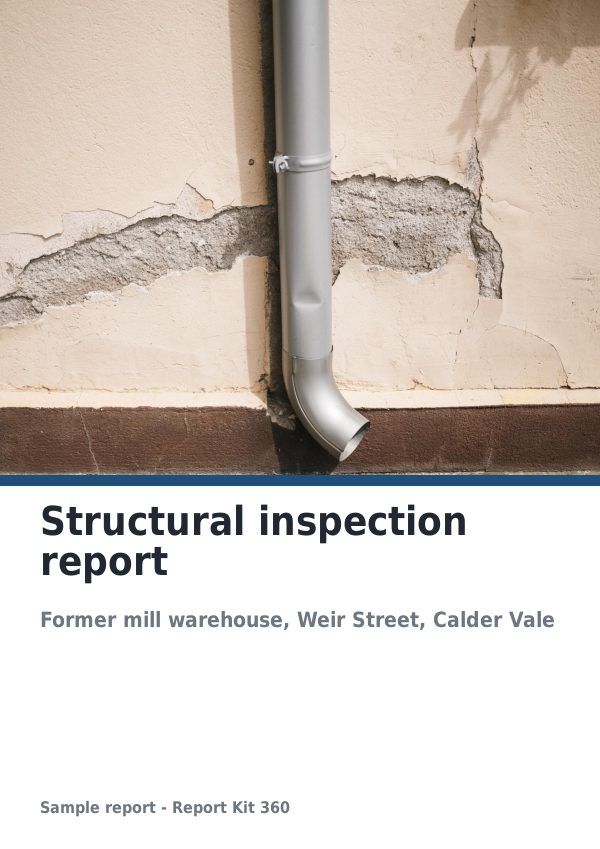
A finished report built from the Structural inspection template (Pro). Scroll through it below, or download the issued PDF.
This is a fictional sample produced in Report Kit 360 to show the template. The property, people and findings are invented. Photographs are from Wikimedia Commons under licences that permit reuse; see the image credits.
Structural inspections on Basic and Pro
Basic
£14.99 a month
Not included. The Structural inspection template is a Pro template. Basic workspaces can use: Building survey (TDD) (Basic), Generic technical report (Basic).
Pro
£49 a month
The Structural inspection template with unlimited reports, formula tables, white-label branding and every other Pro block.
Downgrades take effect at the end of the paid period and nothing is deleted.
Frequently asked questions
Is the crack classification an official BRE scheme?
The calculated field follows the pattern of the categories set out in BRE Digest 251 in our own wording, as a working aid. Report Kit 360 is not affiliated with or endorsed by BRE, and the engineering judgement, including whether the categorisation applies to the case, is yours.
Can a colleague check the report before it goes out?
Yes, on Pro. Add a seat, give the checker an editor or admin role and move the report to in review. They comment on individual blocks, you resolve the threads, set it to final and issue.
Can I add my own calculations?
Formula tables accept spreadsheet-style formulas including SUM, IF and ROUND, named ranges and the industry presets. For full calculation sheets, import them as PDF pages into the appendix.
Is there a Basic option for structural work?
The building survey (TDD) and generic technical templates are on Basic and support tables, checklists and findings schedules. The structural template, formula tables, calculated fields and measurement markers are Pro.
Your next report, start to finish.
Pick a plan, add your logo, and issue your first report today.